I built NotionReads so a reading list could sit in Notion, next to the notes. The importer only reads Goodreads' own export, so a StoryGraph file won't come through.
If your books are on StoryGraph, you can still get them onto that shelf. Download the list, then add each book with search so the cover comes with it.
Export your StoryGraph library
Sign in, open Manage Account, and go to Export StoryGraph Library. Download the file.
I open it and leave it beside me. The books I logged are in there. That file is the checklist.
If you still have a Goodreads export, that is a different file. The steps for it are in How to import your Goodreads library to Notion.
Add each book with search
Pasting covers was the part I got tired of, so search is what I built.
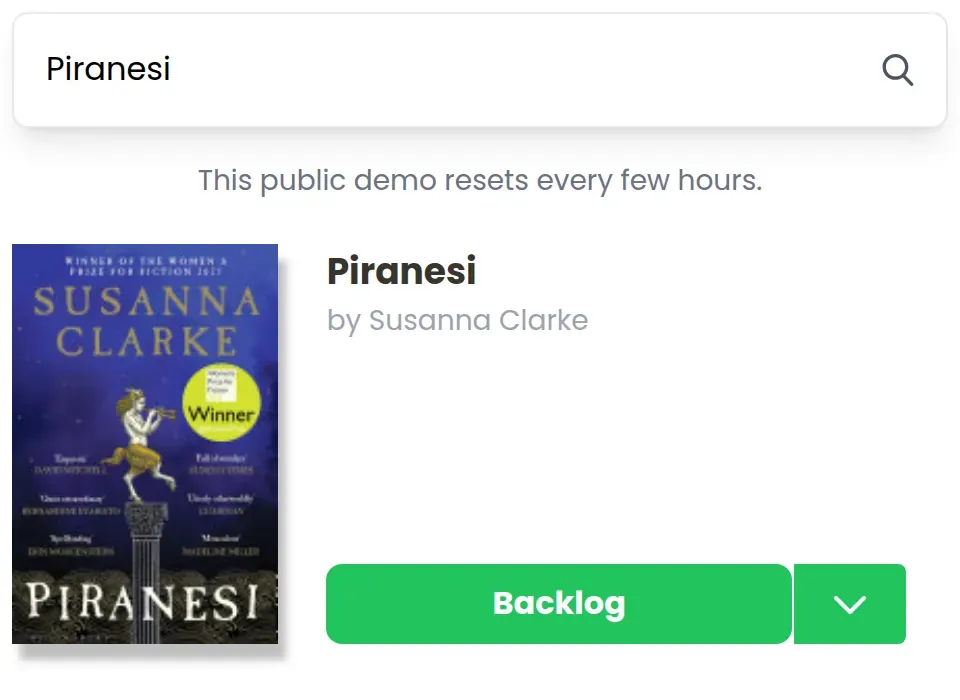
Type the title. The cover, the author, and the book details land on the shelf. If you still want a rating or a date on the page, you type that in after.
I wrote about what you still type on a blank database, and what this search fills in for you, in a Notion book tracker that auto-fills covers and metadata.
Here is the search for Piranesi:
Once a few covers are in, the shelf looks like this:
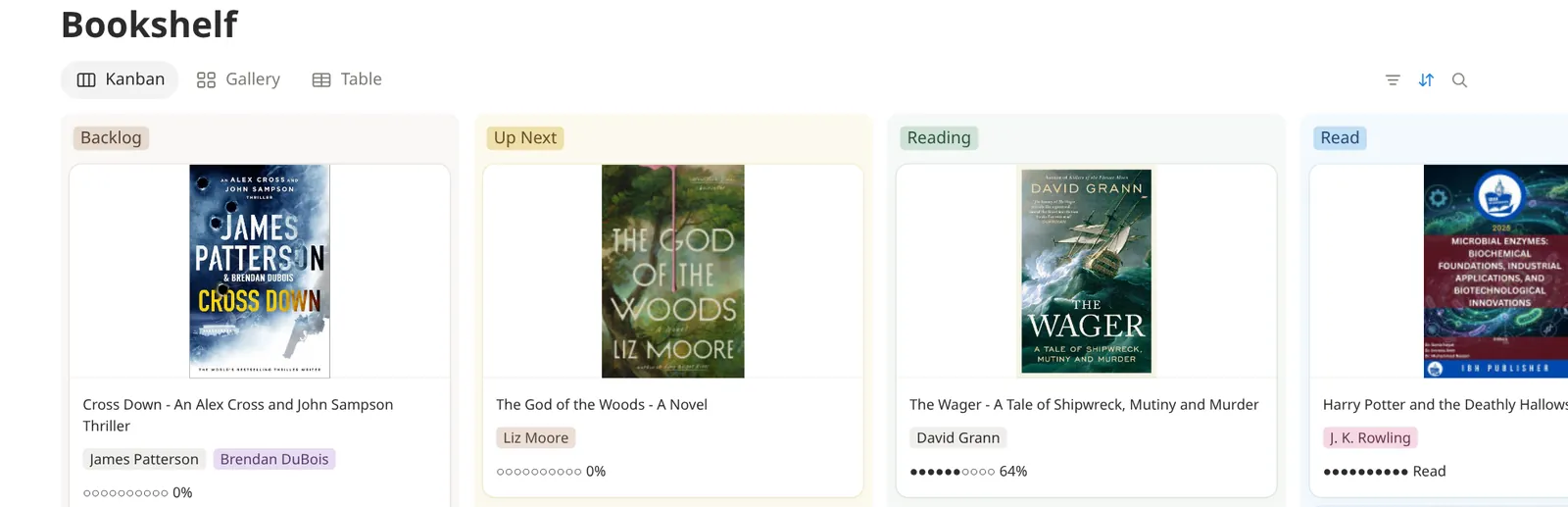
I work from the file. I add the book I am reading, then the ones I still mean to open. A long backlog can wait until I actually want the row.
Save the file in Notion, without the covers
If I want the export saved, and I can live without covers, I let Notion import the CSV. I open Settings, then Import, then CSV, or I type /csv on the page. The walkthrough I follow is Import data into Notion. Notion adds the rows from the file. It does not change rows that were already there.
I get a table of what StoryGraph sent. I treat that as the backup. When I want the gallery, I add the book with search.
When you want the shelf in your own Notion
Try the live demo and search for a title that is on your StoryGraph list. No signup needed.
When you want that shelf in your workspace, start the free trial. The trial I offer includes the template and up to 10 books, which is enough to watch a cover land on your own page. The license on the pricing section is $60, plus tax if it applies. You pay once. It works with Notion's free Personal Plan. Once you have the license, there is no limit on how many books you can add.
Common questions
Can I import a StoryGraph CSV into NotionReads?
No. Add the books with search, and keep the export as the list you work from.
How do I get my StoryGraph ratings into Notion?
Search puts the book and the cover on the shelf. You type the rating, the review, or the date onto the page if you still want them there.
What if I also have a Goodreads library?
Export that library from Goodreads and use the Goodreads import. The import guide walks through that file.
Should I leave StoryGraph?
StoryGraph is a real reading app. It has the charts and the mood filters, and I did not rebuild those. I built NotionReads for the shelf that sits in Notion, next to your notes. If the charts are the part you open, stay on StoryGraph. If the book has to live on the Notion page, use the search.