
Goodreads calls the December page a Year in Books. This is that recap on a Notion book database: books whose finish date lands in 2026, the covers, the pages, the ratings, and a 2027 number that is allowed to stay small.
Try it free. A trial adds up to 10 books. After that, follow the Set-Up Instructions to duplicate the template and connect Notion. NotionReads creates a page called NotionReads Book Tracker and a database called Bookshelf, including a Progress formula. The year views, the formulas below, the rollup, and the 2027 goal are what you add on that database.
NotionReads works with Notion's free Personal Plan. The paid plan is in the pricing section. You pay once. The 10-book cap applies to the trial.
Bring the past years in first
Import the history when you want earlier years in the same database, then build the views.
The StoryGraph import can write Reading Status, Added, Read Dates, and a whole-star Rating. When a book lists more than one read, the latest one is saved. Cover, page count, and up to eight genres are filled when the ISBN matches a search result. The StoryGraph file has no page-count column. Ratings round to the nearest whole star. A rating under half a star can be left off. Did not finish stays Did not finish on a new Bookshelf. A stop-only date is not stored as a finish date, and page progress is not filled in for Did not finish. The walkthrough is StoryGraph to Notion.
The Goodreads import is a different file. The export, and the free CSV path that keeps the columns and does not fetch covers, are in how to import your Goodreads library to Notion. The import table shows your rating, your exclusive shelf, and the date read before you start. A cover is filled when one can be found. A row with no ISBN or ISBN13 can't be imported until you type an ISBN into the table. That edit changes the preview. Import uploads the CSV you dropped, so I put a missing ISBN in the file before I upload it. If Read Dates or Rating is empty on the shelf afterward, set them. The year filter reads those properties.
Goodreads and StoryGraph share 3 library imports on a trial. A trial adds up to 10 books. A full past-years file is often larger than that cap.
The properties the recap reads
Bookshelf has:
- Title
- Subtitle (text)
- Author (multi-select)
- Genre (multi-select)
- Reading Status (select):
Backlog,Up Next,Reading,Read,Did not finish - Page Count (number)
- Reading Progress (Page) (number)
- ISBN_10 and ISBN_13 (text)
- Added (date): the day the row was created
- Rating (select): one to five stars
- Read Dates (date): one day, or a start and a later end
- Progress (formula): ten blocks and a percent, from Reading Progress (Page) divided by Page Count
Added is the day the row was created. The year count uses Read Dates.
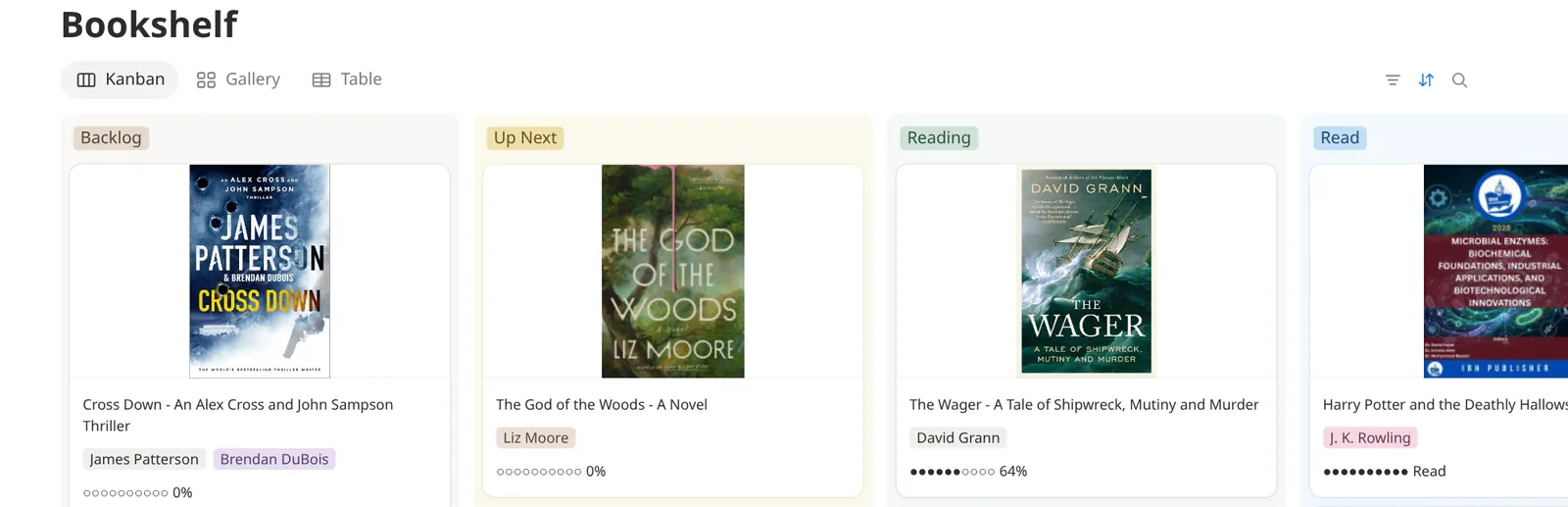
The same setup adds a Kanban grouped by Reading Status, a Gallery, a table, a Currently Reading view, and Favorites. The Kanban and the Gallery show the page cover. Currently Reading keeps Reading Status equal to Reading. Favorites keeps a Rating of four stars or five stars, with no year on that filter.
Pace, an average of the star select, and the month you finished the most are in the Notion reading stats dashboard. This page is the one year: the covers, a best-of view, and the next goal.
Filter Read by the 2026 finish date
On Bookshelf, add a table view named Read in 2026.
- Filter Reading Status to Read. Did not finish stays in its own status, so leaving a book does not enter this view.
- Add a formula property named Finish year:
if(
  empty(prop("Read Dates")),
  empty(),
  year(dateEnd(prop("Read Dates")))
)
When Read Dates is a single day, dateEnd returns that day. When it is a range, dateEnd is the finish day. Filter Finish year to 2026.
A book you started in 2025 and finished in 2026 stays in 2026, because the formula uses the end of the range. An empty Read Dates stays out of the filter. That is why the import step above asks you to fill Read Dates before you trust the count.
Read Dates is within This year follows the calendar year you are in. Opened in January 2027, This year is 2027. Finish year stays on 2026. Use Finish year for this recap.
A gallery of covers, and a board
Duplicate the Gallery. Name it 2026 covers. Add the same two filters: Reading Status is Read, Finish year is 2026. The Gallery already uses the page cover, so the view is the wall of jackets for the year. A book with no cover still sits in the view.
The Kanban is already a board of covers, grouped by Reading Status. For the year as columns, add a board view, group it by Rating or by Genre, and add those same two filters. NotionReads does not create that year board. The Kanban, the Gallery, and the table are the views on the tracker. The year board is one you add.
Books finished, and pages when Page Count is filled
On Read in 2026:
- Hover the bottom of Title, choose Calculate, then Count all. That is books finished in 2026.
- Hover the bottom of Page Count, choose Calculate, then Sum. That is pages on the rows that have a page count. An empty Page Count adds nothing.
Bookshelf has Page Count. A search fills it when the source has it. A StoryGraph file has no page-count column, so that number arrives only when the ISBN matches a search result. The sum is the pages on the rows that have the number. A database without a Page Count property can still count books. It has nothing to sum.
The calculation follows the filter. An unfiltered table sums the whole shelf, Backlog included.
The view sum stays on that view. A rollup puts one number on a year row, and it ignores the view filter, so the formulas below keep it on Read.
- Create a database named Years, if you do not already have one, and add a row titled
2026. - On Bookshelf, add a relation named Year to Years. Set it on each book that belongs in 2026.
- On Bookshelf, add a formula named Pages if read:
if(prop("Reading Status") == "Read", prop("Page Count"), 0)
- Add a formula named Read count:
if(prop("Reading Status") == "Read", 1, 0)
- On the 2026 row, add a rollup through the relation to Bookshelf. Roll up Read count and calculate Sum. Name it Books read. Add a second rollup of Pages if read, calculate Sum, and name it Pages read.
A Count all on Title would include every related row. A Sum of Page Count would too. Pages if read and Read count keep the rollup on books whose Reading Status is Read. Relate a book to 2026 only when its finish year is 2026. The rollup will not apply the view filter for you.
Top rated, genres, and authors
Group Read in 2026 by Rating. Each group is the count for that star option. Favorites, already on the tracker, is the four-star and five-star rows for the whole shelf. It is not limited to 2026.
Genre is a multi-select. Group the same view by Genre. Author is a multi-select too. Group by Author for the people you finished this year. A book with two genres, or two authors, appears in both groups, so those counts can add up to more than Count all.
Best of 2026
Duplicate the Gallery. Name it Best of 2026.
- Filter Reading Status to Read.
- Filter Finish year to
2026. - Filter Rating to the five-star option.
Five stars is a short list on purpose. Add the four-star option to that filter when you want the wider favorites for the year. Favorites remains the unfiltered four-star and five-star gallery.
A few questions for the year page
Open the 2026 row and write under the gallery. Four is enough:
- Which book would you hand to a friend?
- Which finish is still in your head?
- Where did the year get heavy, and which book was the light one?
- What do you want more of in 2027, in one phrase?
More prompts, still optional, are in reading journal prompts in Notion. Pick a few. A year page is a page of answers, and it can stay short.
A 2027 reading goal you can miss a month on
Use the 2026 count as the baseline. If you finished 12, a goal of 12 is a finished year. A bigger number is optional. If one number still feels like a dare, a reading challenge without burnout splits it into a minimum, a target, and a stretch. One of those is enough. I would not add a streak.
On the Years database, add a row titled 2027 and a number property named Goal. Type the number on that row.
Add a formula on Years named Goal progress:
if(
  or(empty(prop("Goal")), not(prop("Goal") > 0)),
  empty(),
  format(round(100 * prop("Books read") / prop("Goal"))) + "%"
)
Books read is the rollup from the section above. Add the same rollup on the 2027 row. Relate a book to 2027 when you set Reading Status to Read and the finish year is 2027. The percent is books related to that row, divided by Goal. It can pass 100. Passing it does not raise the goal. An empty Goal stays blank, so the cell is not a zero you have to beat.
The filtered view's Count all is the number to read if a finished book is not related to the year row yet. The formula only sees the relation.
Once a month, open the 2027 row. Under a heading named Check-in, keep twelve lines, January through December. Write one sentence, or leave the line blank. A blank month is a complete check-in. The goal number stays where you set it. The longer monthly page is the Notion monthly reading wrap-up.
Did not finish stays out of the Read filter, so leaving a book does not lower the percent. It also does not have to become a rule you police.
What a search fills in
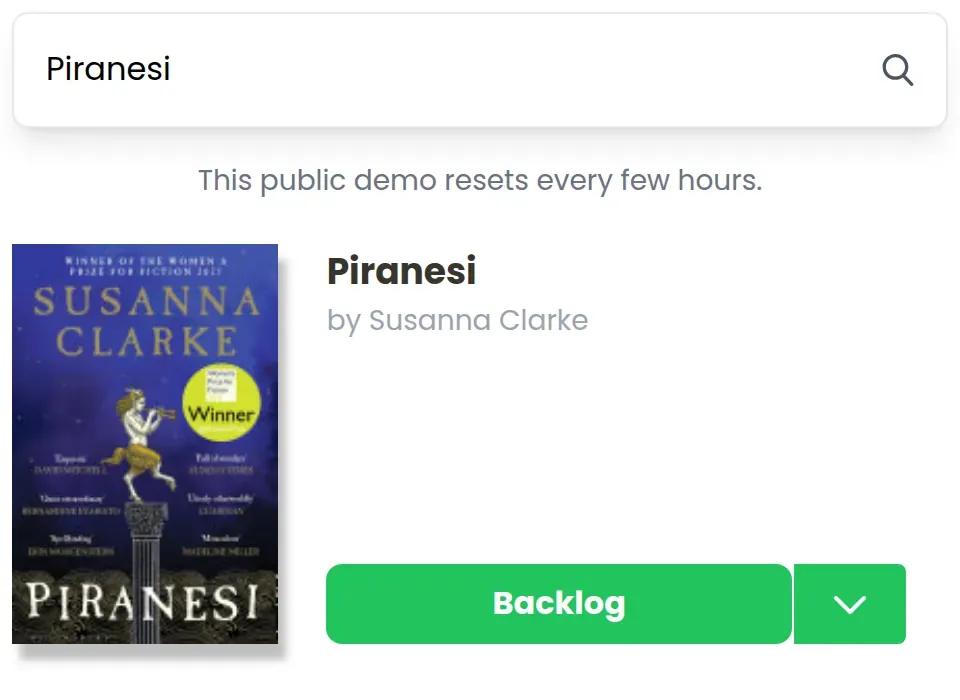
Search a title on Add a book after Notion is connected. The row can arrive with a cover, the title, the subtitle, the author, the genre, the page count, and ISBN_10 and ISBN_13, when the source has them. Added is that day. Reading Status is the status you pick, and Backlog is the default. Reading Progress (Page) starts at 0. When the status is Read and a page count is there, Reading Progress (Page) is set to that page count. Rating and Read Dates stay empty until you set them, or a StoryGraph import writes them. The description in the search result stays on that screen. A comma in an author or genre name is replaced with a space.
Search for a book before you sign up. The cover and the author come back here:
Once the books are in, the shelf looks like this:
Genre comes from the search source. A Google Books result uses its categories. An Open Library result uses up to three subjects. A StoryGraph import can add up to eight genres when the ISBN matches a search result.
FAQ
How do I make a 2026 Year in Books in Notion?
Filter Bookshelf to Reading Status Read, then filter a Finish year formula to 2026. Finish year is the year at the end of Read Dates. Duplicate the Gallery for the covers. Group the table by Rating, Genre, or Author. NotionReads creates the Bookshelf, the Gallery, the Kanban, and the Progress bar. The year view, the rollup, and the goal are yours to add.
Why filter Finish year instead of This year?
Finish year uses the end of Read Dates, so a book started in 2025 and finished in 2026 stays in 2026. A Read Dates filter set to This year follows the calendar year you are in. Opened in January 2027, This year shows 2027. Use Finish year when the recap is for 2026.
How do I count books and pages for the year?
On the filtered view, Calculate Count all on Title for books, and Sum on Page Count for pages. An empty page count adds nothing. A rollup on a Years row sums a formula that is 1 when Reading Status is Read, and a second formula that is the page count only when Reading Status is Read. Relate each finished book to that year. The rollup leaves the view filter where it is.
How do I set a 2027 reading goal without a streak?
Write one number on the 2027 row, a count you would still call a win if January is slow. A formula divides the books related to that row by the number and shows a percent. Open the page once a month and leave the line blank when the month was quiet. The percent can pass 100, and the goal stays the number you wrote. Did not finish stays out of the Read filter.
Can a Goodreads or StoryGraph history fill the year?
A StoryGraph import can write Reading Status, the date added, Read Dates, and a whole-star rating. The latest read is the one saved. Cover, page count, and genre are filled when the ISBN matches a search result. The StoryGraph file has no page-count column. A Goodreads import table shows your rating, exclusive shelf, and date read, and a cover is filled when one is found. If Read Dates or Rating is empty after that import, set them before you filter the year. A trial adds up to 10 books. Goodreads and StoryGraph share 3 library imports.
What I would do next
Set Reading Status to Read and set Read Dates on the last book you finished. Add the Read in 2026 view and the 2026 covers gallery. Count all is enough to see the year. The goal can wait until that number looks true.
If you want the cover, the author, and the page count to arrive with the search, start the free trial. Connect Notion, import what the trial allows, and these filters read the Bookshelf.
Questions are welcome. Email me.